Get stunning animated backgrounds in 3 simple steps. No coding, no complicated setup — just your creativity.
01
Add the Widget
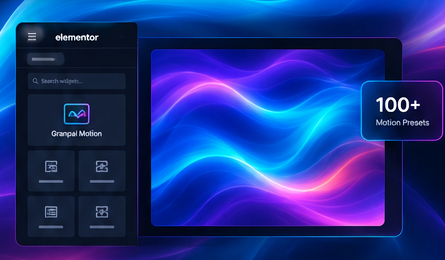
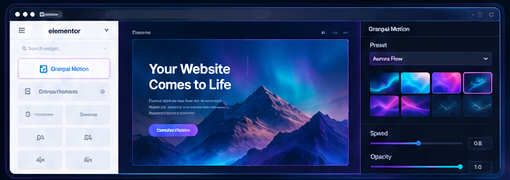
Drag the Granpai Motion widget into your Elementor page.
02
Choose a Preset
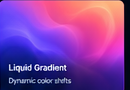
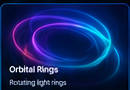
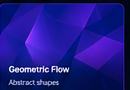
Pick from 100+ ready-to-use animated backgrounds.
03
Make It Yours
Customize the effect and create a background that fits your design.
01
Add the Widget
Drag the Granpai Motion widget into your Elementor page.
02
Choose a Preset
Pick from 100+ ready-to-use animated backgrounds.
03
Make It Yours
Customize the effect and create a background that fits your design.
FEATURES
Everything You Need to Make Your Background Move.
Granpai Motion keeps animated backgrounds simple, visual, and easy to control directly inside Elementor.
100+ Motion Presets
Start with a ready-made effect instead of building animations from scratch.
Elementor Friendly
Designed to work naturally inside the Elementor editor.
Visual Customization
Choose a preset and adjust a effect to match your design.
No Coding Required
Create impressive motion backgrounds without writing custom CSS or JavaScript.
Lightweight Architecture
Load only what your design needs instead of adding unnecessary assets.
Built to Grow
Part of a growing collection of Elementor tools and widgets.
ELEMENTOR EDITOR
Designed for the Elementor Workflow.
No new interface to learn. No complicated configuration. Just add the widget, choose a preset, and design.
BUILT FOR DESIGNERS
Your Design Deserves More Than a Static Background.
A great background can change the entire feeling of a website. Granpai Motion gives designers an easy way to add depth, movement, and visual personality to Elementor sections.
◉ Design the section.
◉ Choose the motion.
◉ Make it yours.
Give Your Elementor Websites Some Motion.
100+ presets. One simple widget. Endless creative possibilities.